Reserved for teachers, trainers, and educational institutions.
Real Code, Real Tools, Built for Education
Powered by Theia – Open-source technology trusted by the Tech industry
Python + Pygame Ready – Run games instantly in the browser
Jupyter Support Built-In – Perfect for academic data science projects
Live Preview for the Web – HTML, CSS, JavaScript & Canvas rendering
Made for Teachers – Integrated tutorials and student tracking
For Schools and Educators
Zero Setup. Zero Headaches.
Runs entirely in the browser! Just log in and start coding. Perfect for managed school environments and Chromebooks.
Ready-to-Code Environments
Each workspace comes preloaded with Python, Pygame, HTML/CSS, and key libraries.
No prep needed, start teaching right away.
Isolated Workspaces
Every student gets a secure, persistent coding environment.
No cross-project interference, work stays saved between sessions.
Progress Monitoring
Track student activity in real time: browse files, see live edits, and spot blockers instantly.
Support students with timely feedback and easy access to their work.
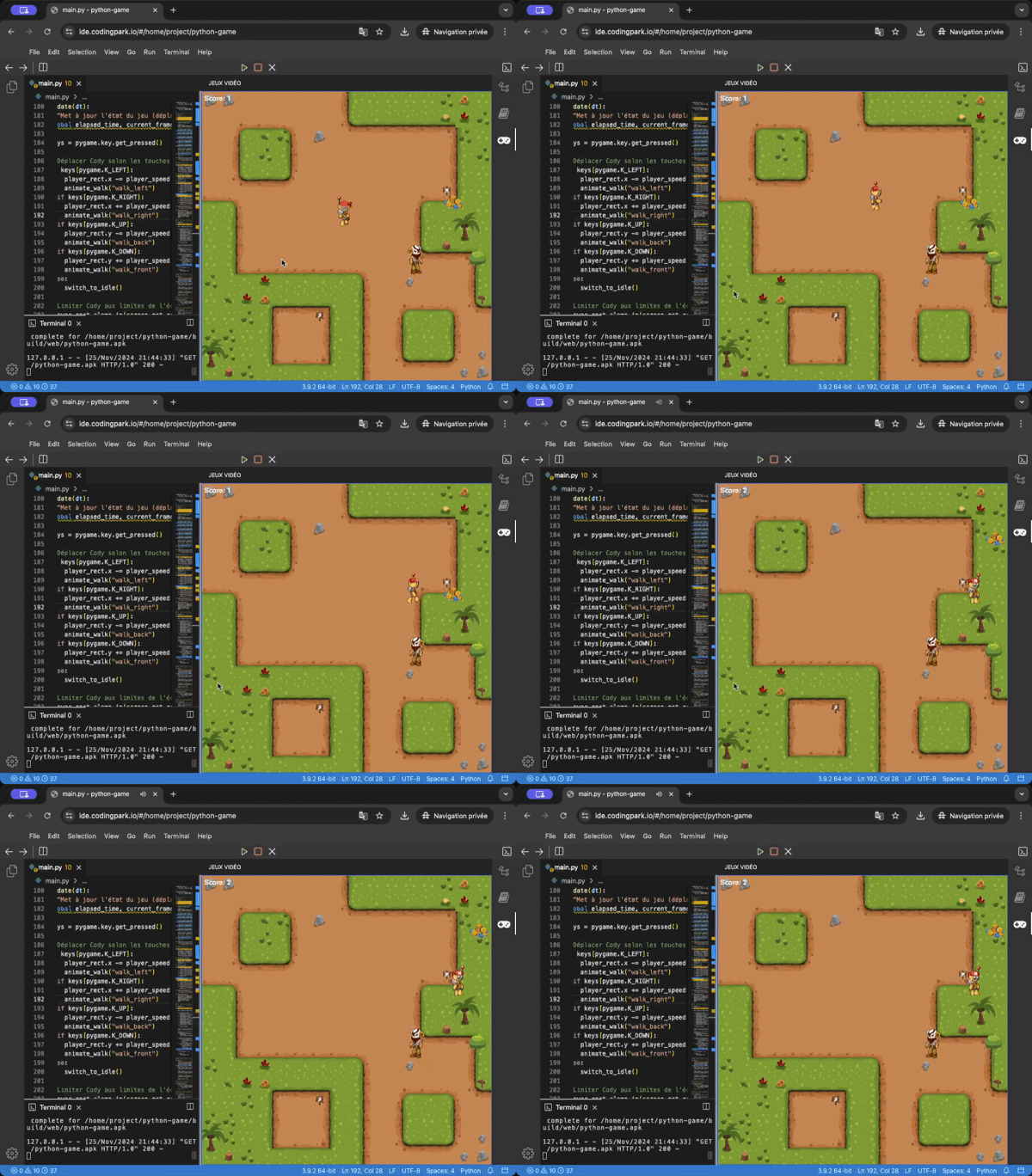
🎮 Run Your Game. Straight From the Code.
Let students build and play their games instantly, right in the browser, with no setup required.
Live Preview – See the game update in real time as you code in Python & Pygame
No Setup Needed – Works on any device. Nothing to install
Built for Learning – Safe, student-specific workspaces with live game preview, terminal, and tutorial panel
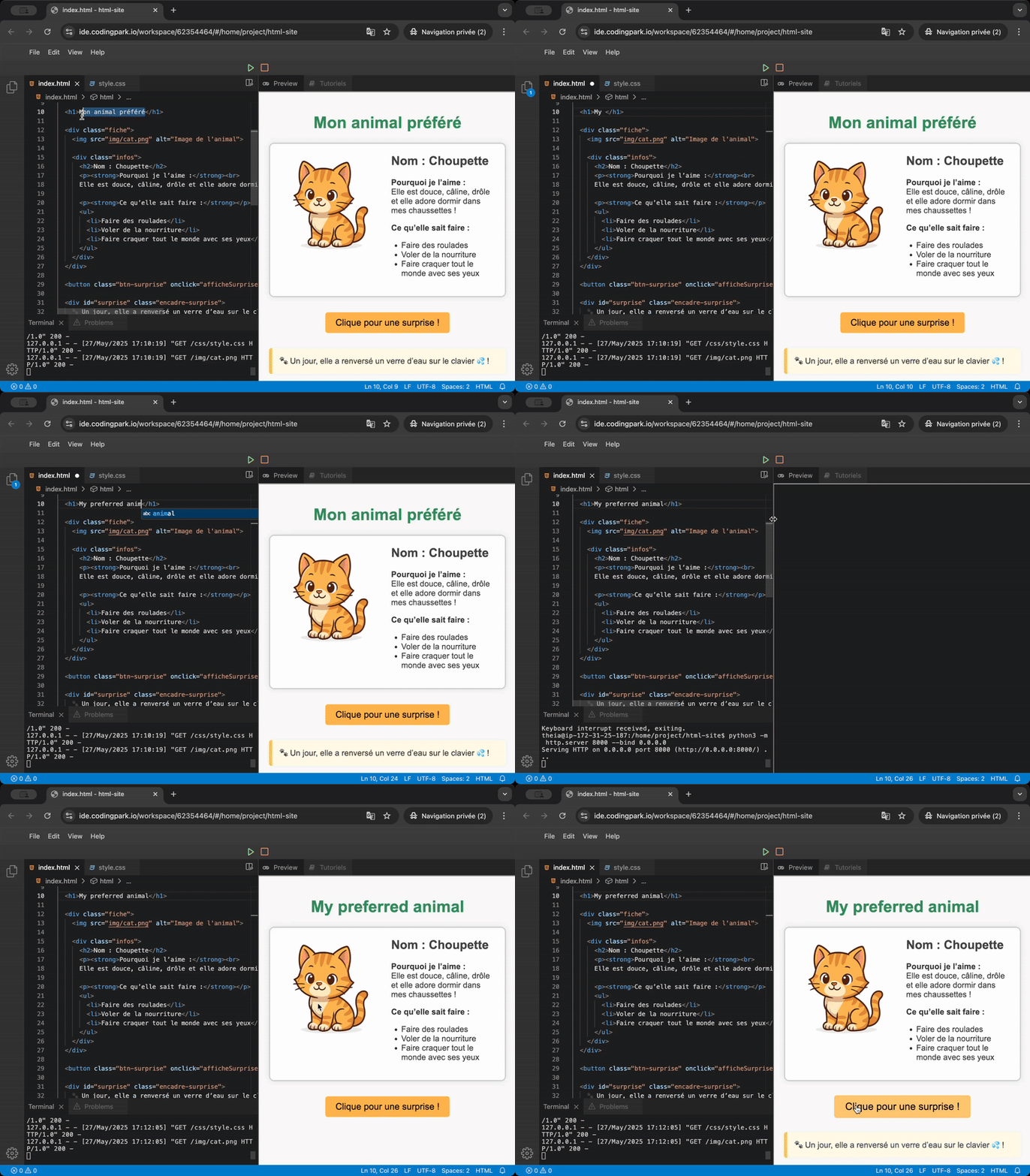
Design Your Site. Live, as You Code.
Let students create real websites with instant feedback – HTML and CSS updates appear live in the browser as they type.
Instant Visual Feedback – Every change appears instantly in the preview
Edit HTML, CSS, and JS – Build fully custom web pages from scratch
🧡 Perfect for creative projects, personal pages, or learning the basics of web development.
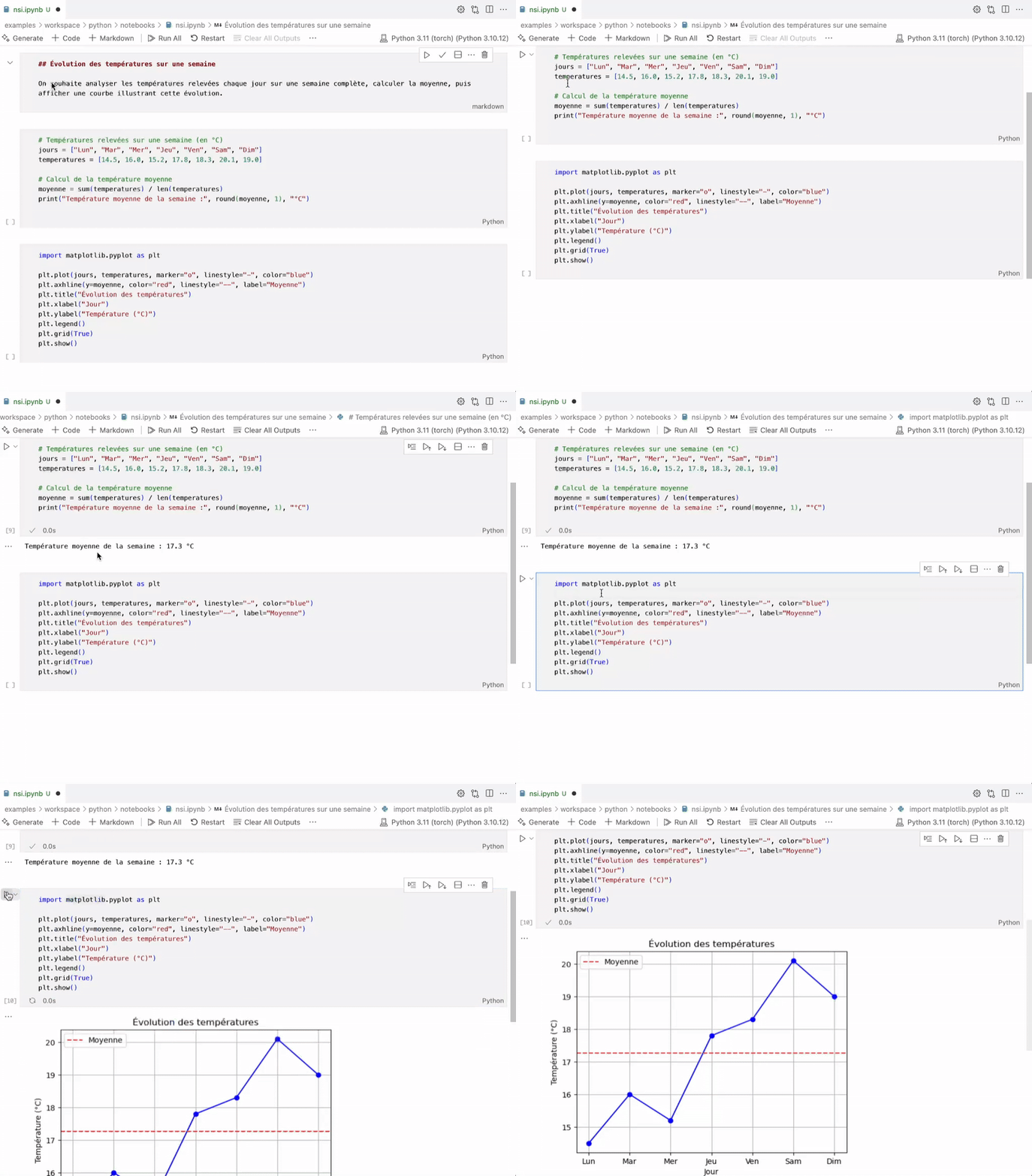
Interactive Notebooks. Visualize as You Code.
Built-in support for Jupyter notebooks makes coding lessons clearer, more engaging, and visually impactful.
Interactive editor with live code & output blocks
Graph plotting with Python (matplotlib)
Scientific libraries included (Pandas, NumPy, etc.)
🎯 Perfect for exploring data, manipulating tables, and understanding algorithms step by step.
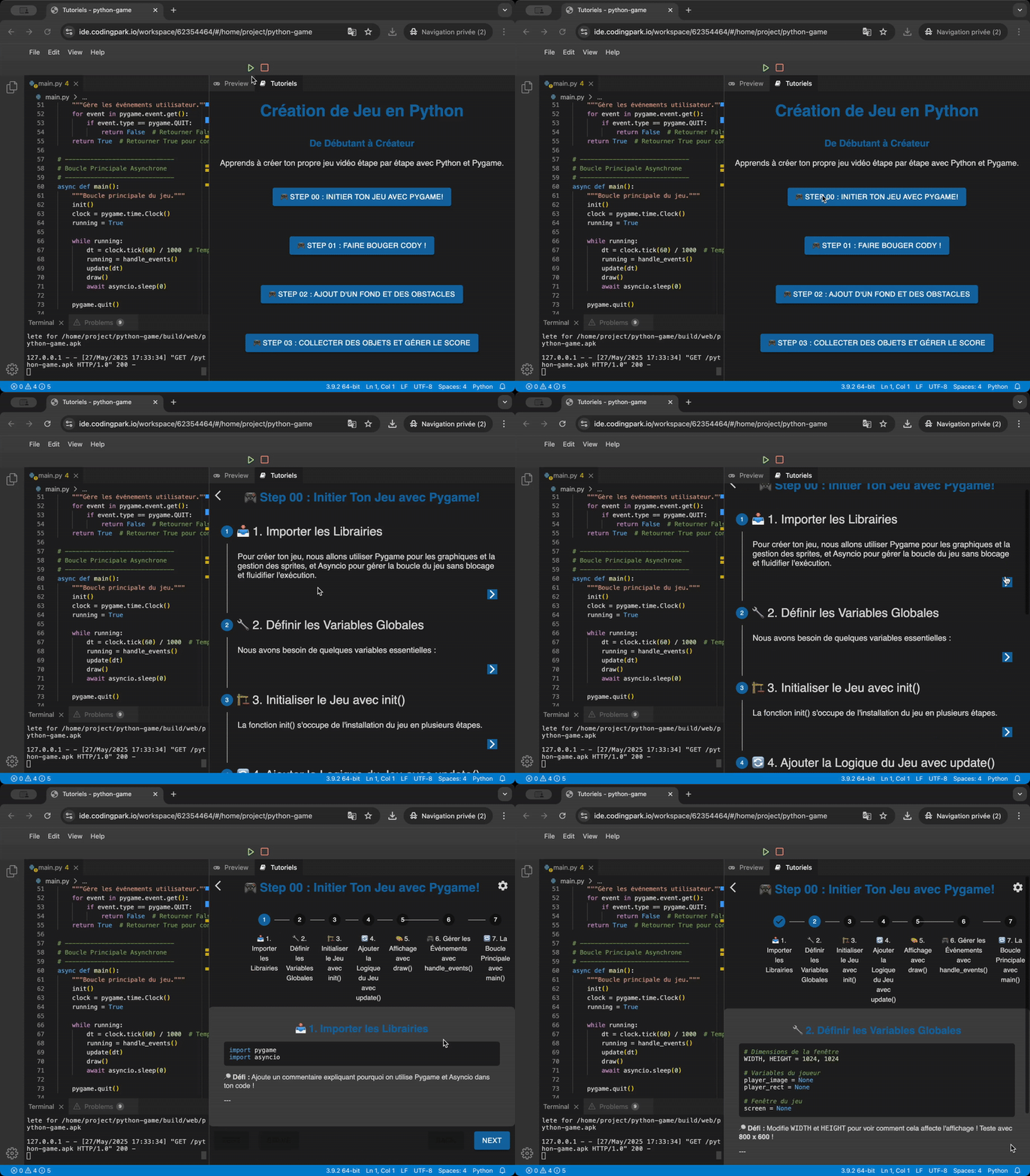
Learn with Tutorials
Switch. Code. See.
Our integrated tutorial system lets students move seamlessly between instructions, code, and live preview.
Markdown-Based – Write or adapt tutorials in simple Markdown, rendered instantly
Toggle Views – Switch between the tutorial, code editor, and game/browser preview
Modular System – Add your own tutorials or install other educational extensions
💬 Ideal for guided learning, self-paced exploration, and custom lesson design.
Built on Theia. Trusted by Industry.
Our Web IDE is powered by Eclipse Theia, the same open-source technology used by SAP, Red Hat, Gitpod, STMicroelectronics, and more.
Theia is backed by a vibrant open-source ecosystem and serves as a modern alternative to VS Code. By building on this foundation, Coding Park delivers a platform that’s reliable, future-proof, and fully independent — supported by a global community of industry leaders. You benefit from enterprise-grade technology with no vendor lock-in and full transparency.
No. Coding Park Academy runs entirely in the browser. There is nothing to install, no configuration required, and no administrator rights needed. Students simply log in and start coding immediately.
Yes. The platform is designed specifically for classroom and school deployments. It supports group work, individual projects, and teacher-led activities, while remaining simple to manage during lessons.
No. Coding Park Academy is designed for teachers, not system administrators. No DevOps, server setup, or local configuration is required. Teachers can focus on pedagogy and projects rather than technical constraints.
Each student has a private, persistent workspace. All files and projects are automatically saved between sessions, allowing students to continue their work seamlessly from one class to the next.
Yes. Because it runs in a standard web browser, Coding Park Academy works on most school devices, including Chromebooks, laptops, and shared computers, without special permissions.
Yes. Coding Park Academy is built with secure user isolation, protected workspaces, and data privacy in mind. It is suitable for school environments and compliant with common data protection requirements such as GDPR.
Coding Park School focuses on guided, game-based coding activities for primary education. Coding Park Academy extends this approach into a more open, project-based environment for secondary education, ensuring pedagogical continuity across school levels.
A complete coding journey, from basics to real projects
Coding Park Academy helps students go beyond the basics and build real projects with Python and the Web.
If you’re looking for a structured, teacher-led path starting from primary school,
explore Coding Park School.
And for self-paced learning at home (ages 6+), discover
Coding Park Family.
From first steps to real projects 🧭
Need to talk before you jump in?
Have questions about our IDE, deployment options, or how it fits your curriculum? Drop us a message — we typically reply within 24h.
Manage Cookie Consent
To provide the best experiences, we use technologies like cookies to store and/or access device information. Consenting to these technologies will allow us to process data such as browsing behavior or unique IDs on this site. Not consenting or withdrawing consent, may adversely affect certain features and functions.
Functional
Always active
The technical storage or access is strictly necessary for the legitimate purpose of enabling the use of a specific service explicitly requested by the subscriber or user, or for the sole purpose of carrying out the transmission of a communication over an electronic communications network.
Preferences
The technical storage or access is necessary for the legitimate purpose of storing preferences that are not requested by the subscriber or user.
Statistics
The technical storage or access that is used exclusively for statistical purposes.The technical storage or access that is used exclusively for anonymous statistical purposes. Without a subpoena, voluntary compliance on the part of your Internet Service Provider, or additional records from a third party, information stored or retrieved for this purpose alone cannot usually be used to identify you.
Marketing
The technical storage or access is required to create user profiles to send advertising, or to track the user on a website or across several websites for similar marketing purposes.